
In today’s fast-paced world, staying organized and keeping track of important tasks is more essential than ever. While most people rely on reminder apps for daily productivity, many fail to explore their full potential. By understanding reminder app features beyond the basics, users can unlock efficiency, reduce stress, and manage their time more effectively. These hidden functionalities often separate casual users from productivity power users, turning a simple digital tool into a powerhouse for task management.
Discovering Hidden App Features
Many hidden app features in reminder tools remain unnoticed simply because they aren’t immediately visible in the user interface. Developers design these tools with layered capabilities to cater to both beginners and advanced users. For example, beyond setting simple reminders, some apps allow recurring task patterns, smart categorization, and even integration with calendars or email. By exploring menus, settings, and experimental functions, users can uncover functionalities that transform a basic reminder into a central hub for daily planning.
Another way to reveal hidden app features is by following app forums or support channels. Here, users share insights on lesser-known functionalities, like voice commands for task creation, customizable notification settings, or shortcuts for quickly adding tasks on the go. Recognizing these elements helps users tailor their productivity apps to suit specific needs, making task management less overwhelming and more intuitive.
Leveraging Productivity App Tips
Efficient task management often relies on more than just creating reminders. By incorporating productivity app tips, users can optimize their workflow and focus on high-priority tasks. One common tip is grouping related tasks into projects or categories. This ensures that tasks are easier to track and complete in sequence, rather than handling them as isolated items. Additionally, using color-coding or priority levels provides a visual representation of what requires immediate attention, helping users make better decisions under time pressure.
Integrating a productivity app tip, such as syncing with calendars and communication tools, ensures that no task is missed. Advanced apps may also provide insights or analytics, offering a snapshot of completed tasks, recurring patterns, or time spent on specific projects. These data-driven approaches allow users to refine their daily routines, identify productivity bottlenecks, and adopt strategies that maximize efficiency.
Best Reminder Apps for Maximizing Efficiency
Choosing from the best reminder apps is crucial for tapping into the full spectrum of functionality. Apps that offer a combination of user-friendly design, robust notification systems, and advanced customization options stand out. Features like smart suggestions, AI-driven task prioritization, and seamless multi-device synchronization elevate a standard reminder tool into an indispensable productivity assistant.
Among the best reminder apps, look for ones that allow both personal and collaborative task management. This ensures you can coordinate responsibilities within teams, share deadlines, and track progress without switching between multiple platforms. Using these apps strategically, even the most complex schedules can be managed efficiently, ensuring deadlines are met consistently.
Exploring Task Management App Features
For users looking to go beyond basic reminders, understanding task management app features is key. Many apps include subtasks, checklists, and progress tracking, enabling a granular approach to productivity. By breaking larger goals into smaller, manageable components, users can maintain momentum and achieve objectives without feeling overwhelmed. Additionally, some apps offer integrations with project management tools or third-party platforms, centralizing all responsibilities in one place.
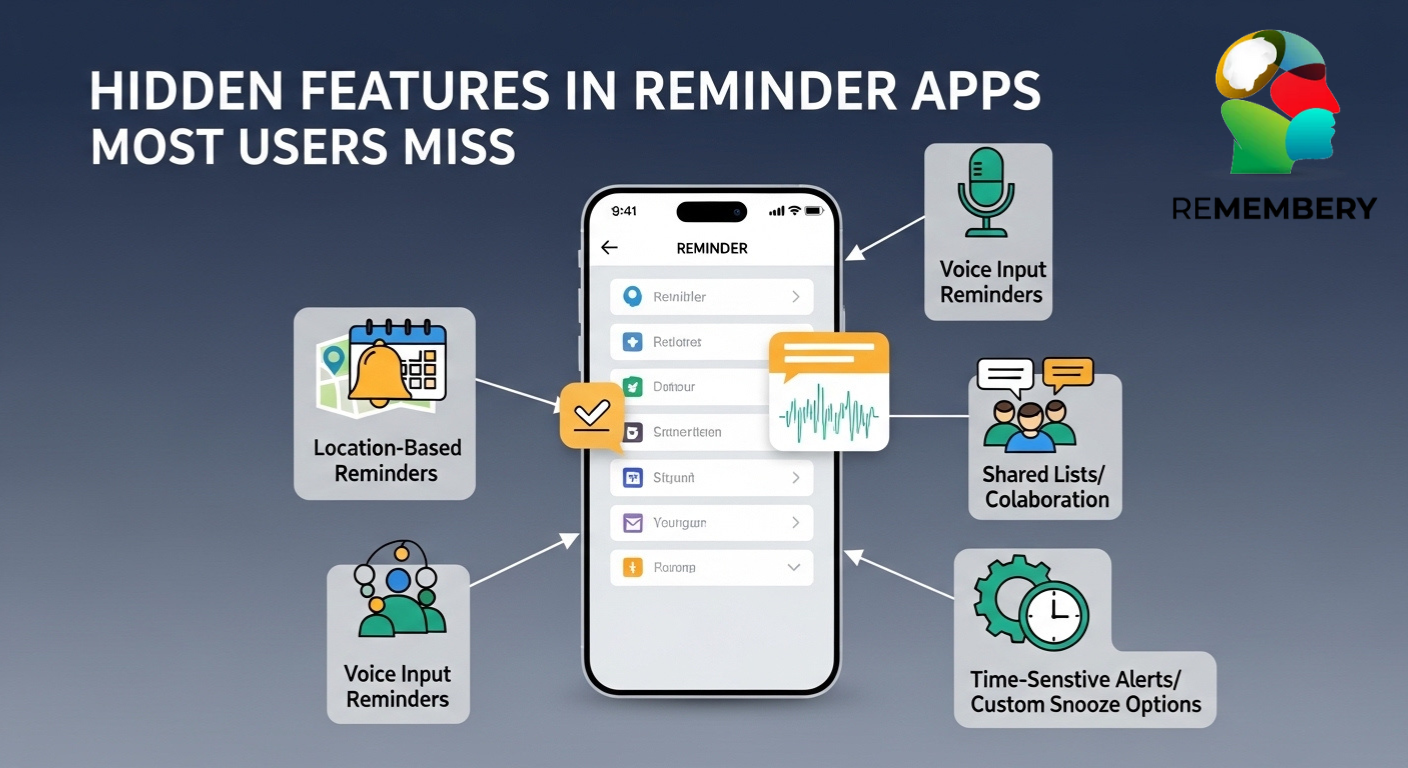
Advanced task management app features often include automated reminders based on location or time, recurring task customization, and task dependencies. By leveraging these functionalities, users can plan complex schedules while maintaining flexibility. This level of sophistication transforms the app from a simple to-do list into a strategic productivity tool.
Reminder App Tricks for Power Users
Many users are unaware of subtle reminder app tricks that save time and reduce effort. Keyboard shortcuts, swipe gestures, and voice input capabilities can drastically speed up task creation and management. For example, setting multiple reminders simultaneously or quickly reassigning deadlines can streamline workflow for busy professionals or students. Mastering these tricks ensures that users spend less time navigating the app and more time completing tasks.
Another set of reminder app tricks involves automating repetitive tasks. Many apps allow users to create templates for recurring routines, set up reminders triggered by specific conditions, or integrate with other productivity tools. Such automation reduces manual input, prevents task oversights, and allows users to focus on priorities that require active decision-making.
Utilizing App Hacks for Productivity
Beyond standard tips, some users leverage app hacks for productivity to extract maximum value from reminder apps. These hacks may include using tags or labels to filter tasks efficiently, combining reminders with note-taking features, or employing cross-platform syncing to maintain consistency. By exploring these hacks, users can create personalized workflows that align perfectly with their work or study habits.
Another effective app hack for productivity is integrating the reminder app with wearable devices. This allows for instant notifications on smartwatches or fitness trackers, making task management more immediate and less intrusive. By incorporating these subtle hacks, users enhance awareness, stay on top of deadlines, and reduce the cognitive load associated with managing multiple responsibilities.
To-Do List App Features That Often Go Unnoticed
Even the most popular to-do list app features may not be fully utilized. Features like task prioritization, collaborative task sharing, and visual progress indicators can significantly improve organization and efficiency. Users often overlook color-coding, smart categorization, and automated recurring reminders, all of which transform simple lists into actionable plans.
Additionally, advanced to-do list app features such as tagging, filters, and search functions make it easier to retrieve and update tasks quickly. These elements reduce friction in task management and allow users to focus on completing tasks rather than tracking them.
Advanced Reminder App Tips
Power users often benefit from advanced reminder app tips that integrate multi-layered functionalities. For instance, combining calendar views with task lists provides a clear overview of deadlines and workload distribution. Using recurring task templates, conditional reminders, and priority sorting ensures that critical tasks are never overlooked.
Another effective strategy includes setting reminders with descriptive notes or attachments, adding context to tasks and reducing the need to remember supplementary details. By applying these advanced reminder app tips, users enhance productivity while reducing stress associated with task overload.
Little-Known App Features That Make a Difference
Many productivity enthusiasts uncover little-known app features that elevate everyday task management. Examples include voice-activated task entry, AI-suggested scheduling, and integration with email clients. These features often remain hidden because they are not part of the standard setup, yet they can significantly reduce time spent on routine tasks. Similarly, little-known app features like smart categorization, tagging shortcuts, and location-based reminders help users stay organized efficiently. Exploring and activating these features can transform the reminder app from a simple alert system into a comprehensive organizational tool.
Apps to Stay Organized Beyond Reminders
While reminders are essential, many users seek apps to stay organized that combine multiple functionalities. Integration with calendars, note-taking apps, and collaboration tools allows for a seamless workflow. These apps provide a holistic approach to task management, ensuring users can manage both personal and professional responsibilities efficiently.
Choosing apps to stay organized that support cross-platform syncing, offline access, and automation ensures continuous productivity, even on the go. By combining these tools with effective reminder strategies, users can maintain focus and prevent tasks from slipping through the cracks.
Task Reminder App Tricks for Maximum Efficiency
Specific task reminder app tricks can help users achieve higher productivity levels. Setting reminders with variable intervals, using smart snooze features, and leveraging notification grouping ensure important tasks receive timely attention. Additionally, combining reminders with priority flags helps distinguish critical tasks from less urgent ones. Applying task reminder app tricks effectively requires experimentation and customization. By learning how to manipulate notifications, task sequences, and recurring schedules, users can fully capitalize on the app’s potential, achieving smoother workflow management and consistent task completion.
Conclusion
Modern reminder systems offer far more depth than simple alerts, utilizing layered recurrence, light automation, and tracking dashboards to shape our daily progress. True organization often comes from refining how these existing features are arranged rather than constantly searching for new tools. By looking at frameworks like the Remembery App, which emphasizes digital organization through routine use and consistent planning, users can better integrate to-do features into their lives. Ultimately, the most effective systems work quietly in the background, turning complex task management into a seamless, low-key part of a steady routine.
FAQs
What are some hidden features in reminder apps that can boost productivity?
Hidden reminder app features often include conditional recurrence logic, contextual grouping, layered notifications, and pattern tracking dashboards. These hidden app features support steady organization without increasing complexity.
How can I discover advanced features in my reminder app?
Advanced reminder app tips are generally located within settings panels, filter sections, and integration menus. Reviewing task management app features and to-do list app features often reveals structural tools that are not visible on default screens.
Are there reminder app features that most users overlook?
Yes. Little-known app features frequently include location-based prompts, segmented permissions, recurring logic customization, and notification interval controls. Task reminder app tricks within these areas commonly remain inactive in routine usage.